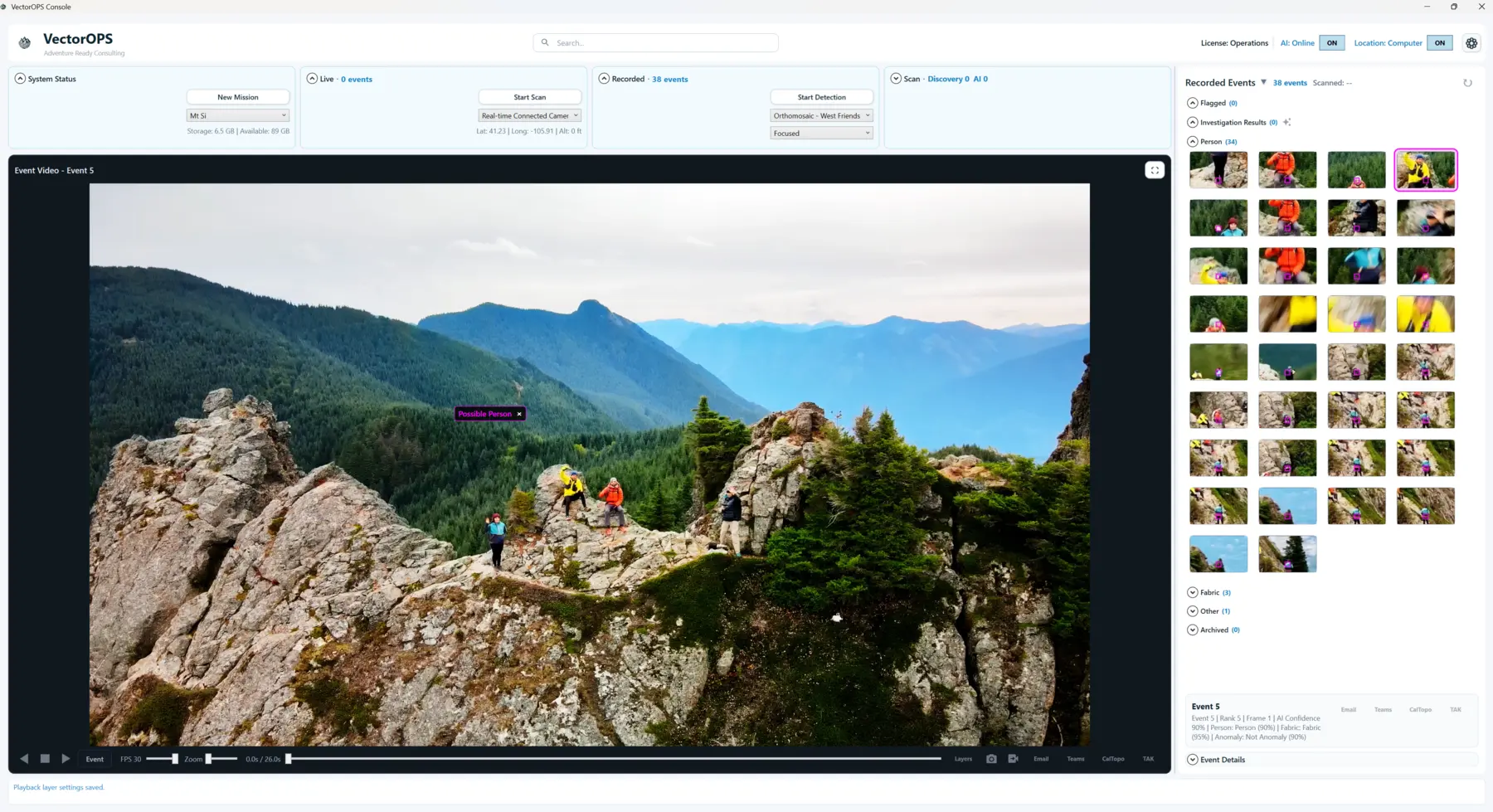
Recorded intelligence
Analyze video, image collections, and orthomosaics without losing the source frame or timeline.
 VectorOPS
Drone video intelligence for mission operations
VectorOPS analyzes live and recorded aerial video to surface prioritized, geolocated search leads—so teams can review more ground with less noise.
Developed and pilot-tested with SAR and police drone teams
Built by Adventure Ready Consulting
01 / PLATFORM
Drone teams capture more imagery than an operator can reasonably inspect in real time. VectorOPS combines computer vision with AI-assisted review to organize detections, preserve their original context, and elevate the events most worth a second look.
Analyze video, image collections, and orthomosaics without losing the source frame or timeline.
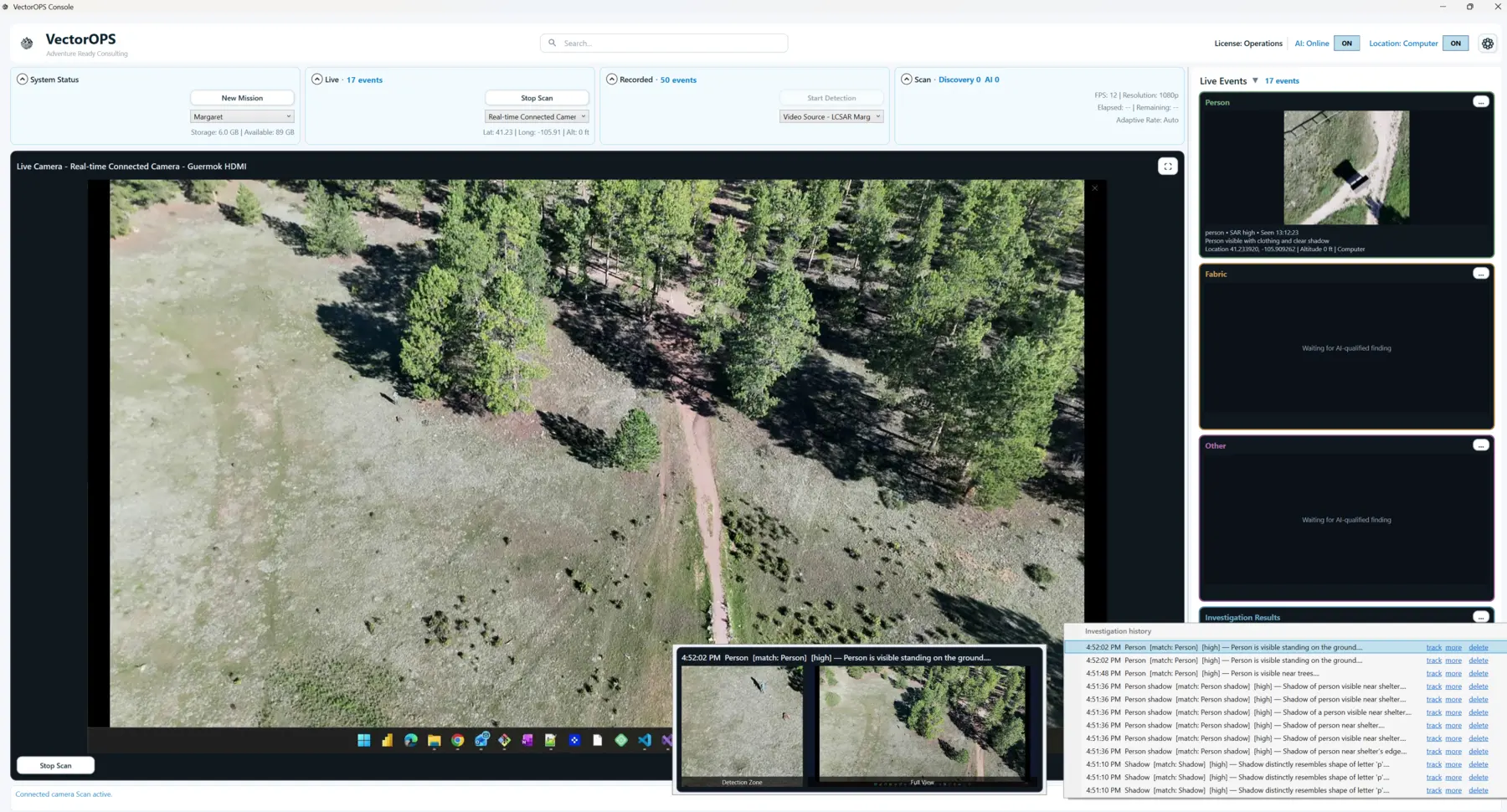
Surface reviewable events from a connected camera while recording the operational feed.
Move from broad discovery to a concise set of human, fabric, and other mission-relevant leads.
Keep location and elevation with the event and export flagged findings into mapping workflows.
02 / WORKFLOW
VectorOPS keeps discovery, AI review, playback, and operator decisions in one understandable flow.
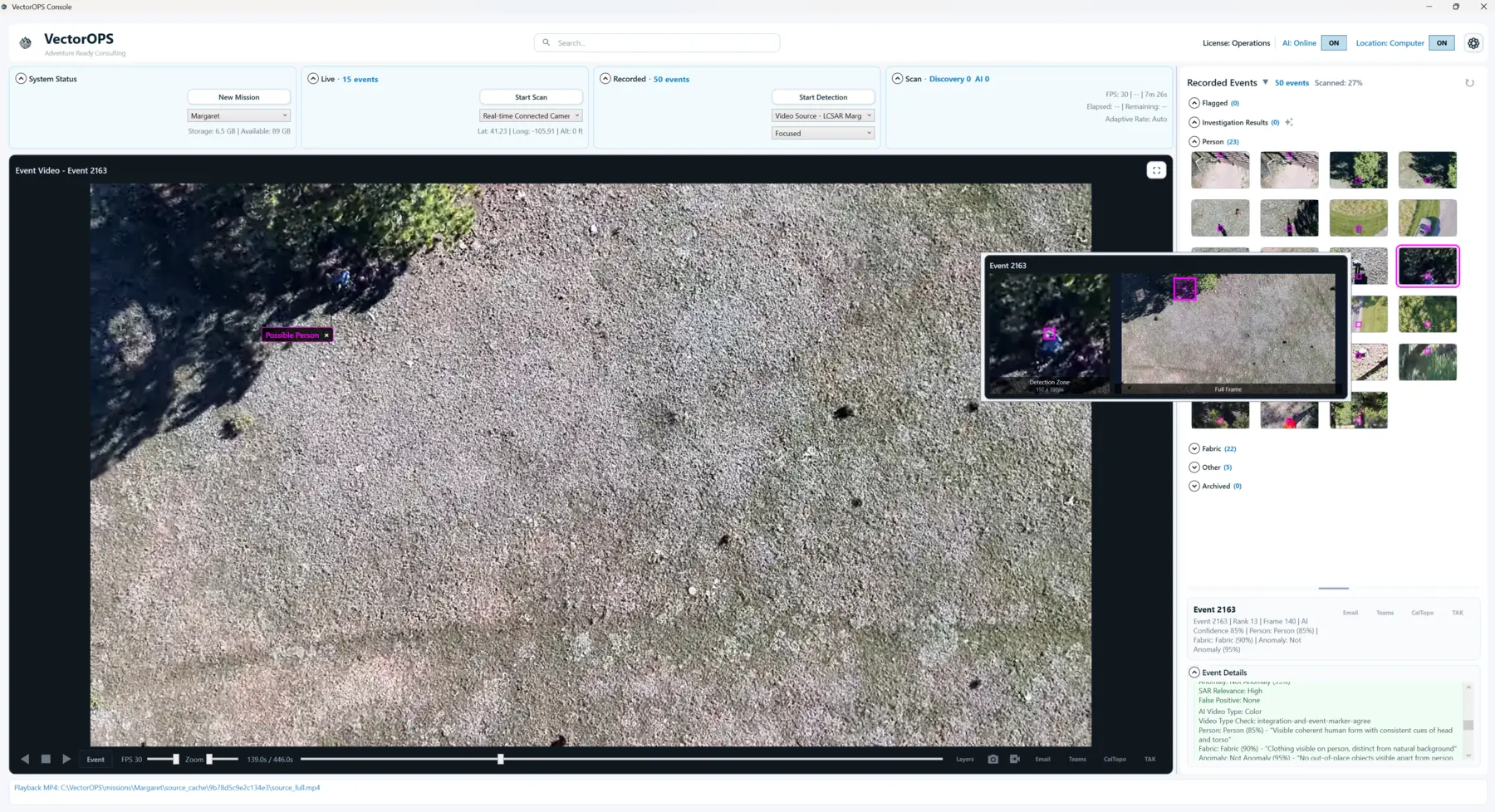
Use recorded color or thermal video, still-image collections, orthomosaics, or a live camera source.
Computer vision scans the scene broadly for anomalies and possible areas of interest.
AI-assisted analysis prioritizes the events most likely to matter while preserving visual context.
Operators validate findings, revisit the source, and export geolocated events for the mission team.
03 / FIELD VIEW
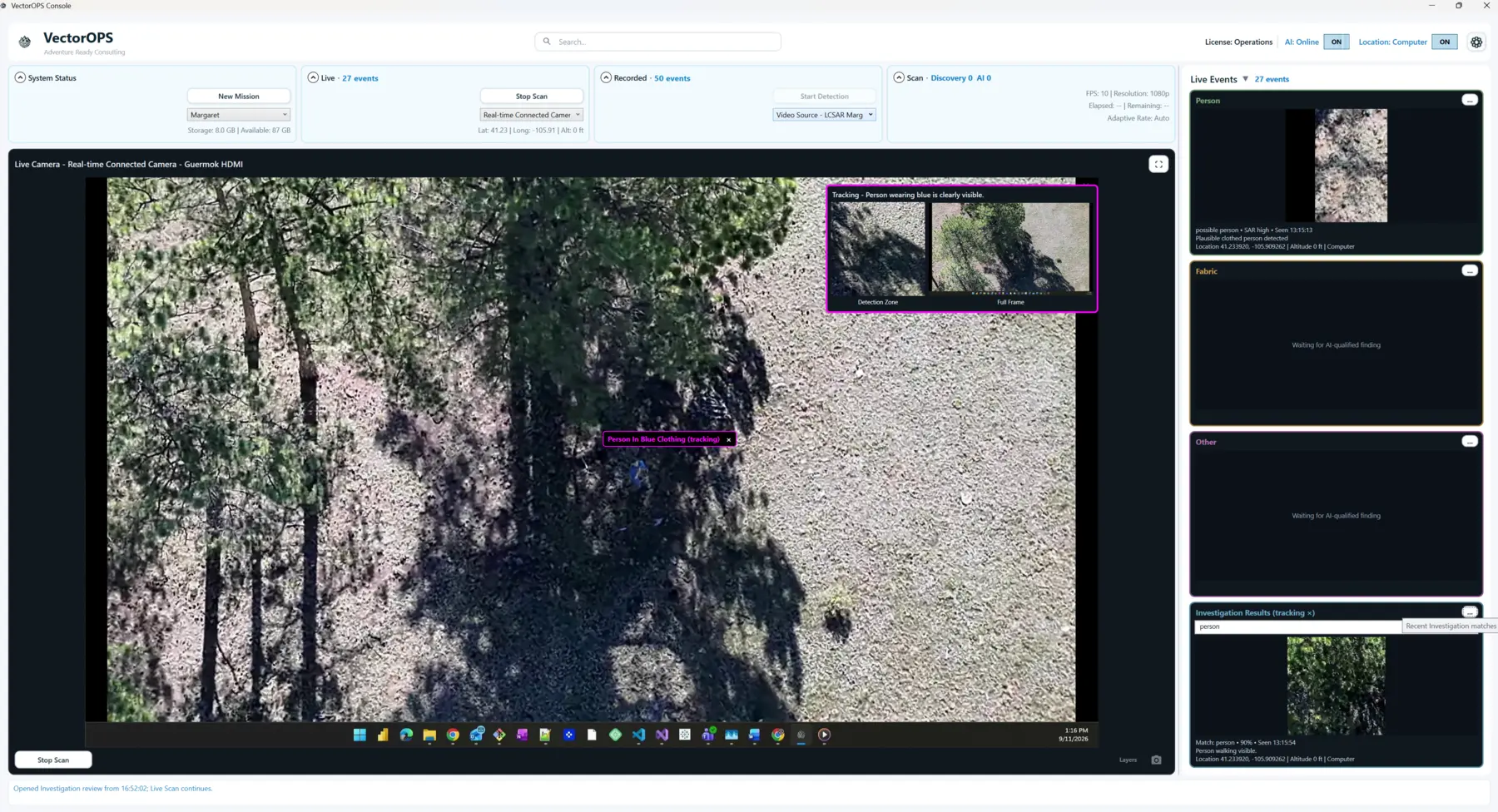
Live events remain available beside the camera feed, giving an operator time to inspect a possible clue and relate it back to the current scene.
04 / IN ACTION
See how aerial footage becomes a focused set of reviewable events.
A closer look at the operational review experience.
05 / REQUEST A DEMO
Schedule a focused walkthrough with your own operational questions—or your own footage. We’ll discuss workflow, deployment, and Operations licensing based on your team’s needs.